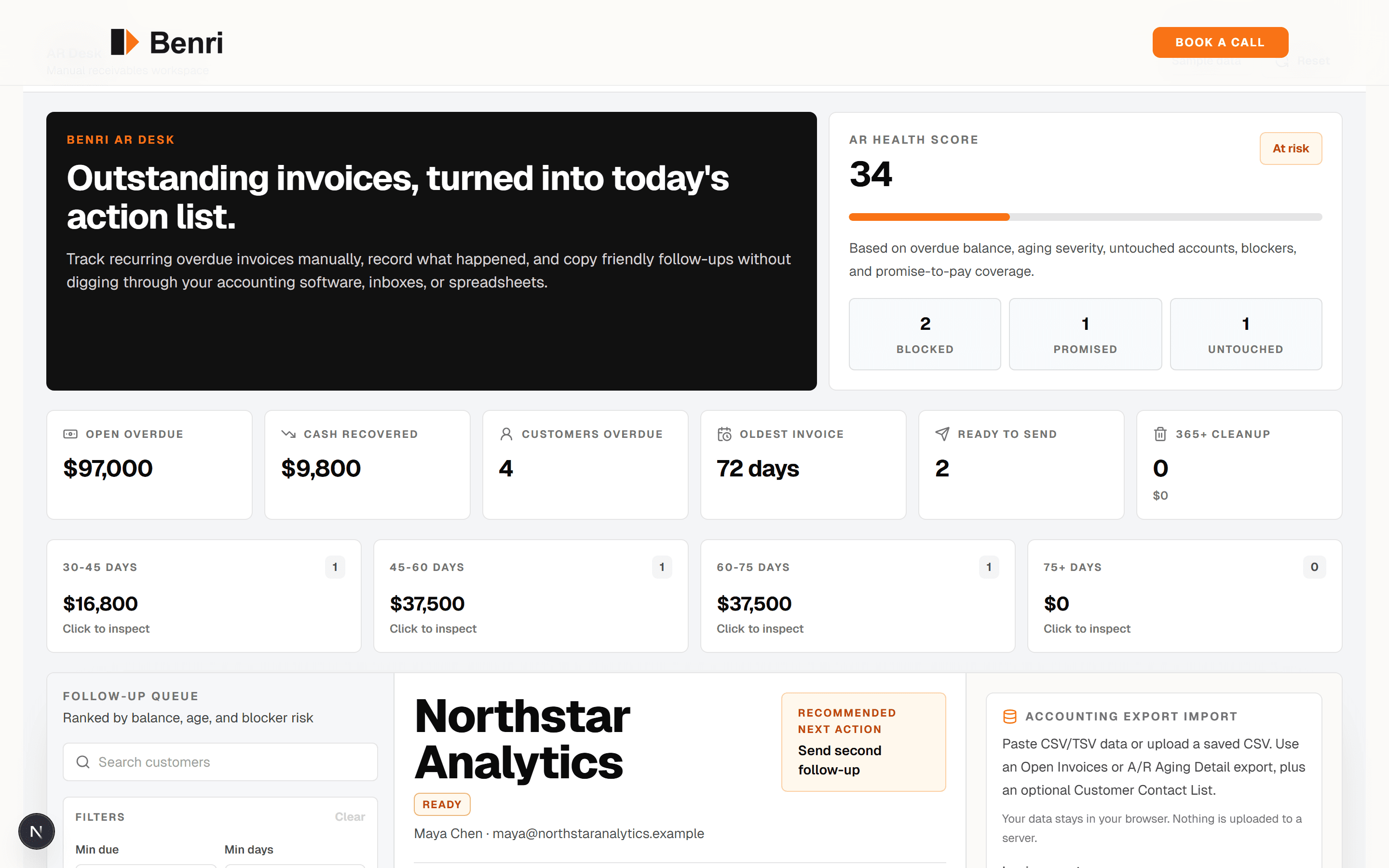
AR Desk
POCA custom receivables workspace that turns accounting exports into a prioritized customer chase queue.
Workflow automation
Benri builds workflow automation for the recurring work nobody should have to babysit: CRM updates, task creation, reminders, approval queues, status changes, and customer follow-up.
Free. 30 minutes. No payment until we agree on scope.
What this service should create
Less copy-paste between systems
Cleaner source-of-truth records
Faster internal and customer updates
Visible queues for open, waiting, escalated, and completed work
Workflow surface
The best workflow automation is often simple: watch the trigger, update the right system, notify the right person, and log what happened.
Trigger
A form, email, invoice, status, file, or calendar event starts the workflow.
Watched
Rules
Automation routes, reminds, drafts, logs, or requests approval.
Moved
Record
The workflow leaves a trail the team can trust later.
Logged
See it running
Interactive demos and live builds tied to this service. Each one is a real working surface — yours would be tailored to your workflow, tools, and review rules.
View proof hub
A custom receivables workspace that turns accounting exports into a prioritized customer chase queue.
Drafted replies
Unified review inbox across Google, Yelp, Facebook, and Tripadvisor with AI-drafted responses in multiple tones. Complaints auto-escalate to the owner.
AI-drafted quotes for service businesses. SMS or voicemail in, structured line-item quote out, drafted from your pricing rules.
Starter build preview
The first version usually watches one trigger, applies the business rules, and pushes the next action into the tools the team already uses.
Scope pressure
Copy-paste work creates delays and bad records
Approvals and reminders depend on manual follow-up
Nobody can see what is stuck until it is already late
Build map
First system
Trigger
Form, email, status, payment, or call starts the workflow
Route
Tasks, reminders, approvals, and records move automatically
Review
Exceptions are surfaced with context for a human decision
System shape
Watch forms, emails, calls, tickets, payments, calendar events, or status changes for the work that should start a workflow.
Route tasks by team, territory, urgency, customer type, service line, due date, or approval requirement.
Move work forward with reminders, customer messages, internal notifications, and clean records.
Flag missing data, failed steps, risky requests, or edge cases for a human instead of letting the automation fail quietly.
The first build
The best first workflow automation is usually boring, frequent, and measurable. That is why it pays back.
Your stack stays useful
Benri builds the operating layer between the tools, not a replacement for the whole stack.
Tools Benri connects to
Workflow platforms
Tools Benri can extend
Business systems
Tools Benri can replace with custom software
Communication
Service signals
88%
of McKinsey survey respondents said their organizations regularly use AI in at least one business function.
McKinsey State of AI 2025
23%
reported that their organizations are already scaling an agentic AI system somewhere in the enterprise.
McKinsey State of AI 2025
51%
of organizations using AI reported at least one negative consequence, which is why Benri keeps review paths explicit.
McKinsey State of AI 2025
Good workflow automation is not just a happy path. Benri defines what happens when a required field is missing, an API fails, a customer reply is unclear, or an approval gets stuck.
The goal is a system your team can trust because it fails visibly, logs what happened, and routes exceptions to the right person.
Proof fit
Benri only shows proof here when the build actually relates to this service. Otherwise, the service page keeps a placeholder until a better demo or case study is ready.
Placeholder
This service needs a matching demo or case study before it should show proof. For now, this slot stays honest instead of borrowing an unrelated build.
Helpful guides
Questions
Sometimes a simple Zap is enough. Benri helps when the workflow needs logic, approvals, retries, logging, AI interpretation, or a custom interface around the automation.
Yes. If Zapier, Make, n8n, Airtable, or another tool already fits, we use it instead of making the project custom for no reason.
Frequency, clear rules, measurable pain, and enough repetition that the build pays back.
The workflow should log failures, alert the right person, and preserve context so the team can fix the exception quickly.
Start with the audit
Thirty minutes. We will map what is worth automating, what needs human review, and what should go first.
Free. 30 minutes. No payment until we agree on scope.